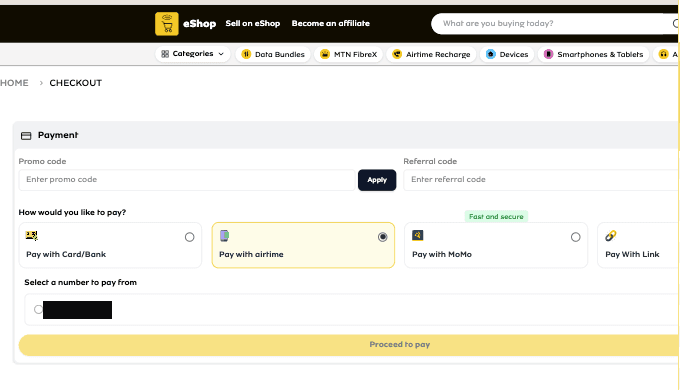
I wanted a 50Mbps unlimited plan for an MTN outdoor router. It is ₦30,000 on shop.mtn.ng, and the shop has a “pay with airtime” option, which suited me because I had the airtime and did not want to go through a card. Add to cart, checkout, pick the airtime method, pick the number to charge, press Proceed to pay.
Every time: a red toast that the order could not be placed.
What the backend actually said
The toast was not useful, so I opened DevTools and pressed the button again. Every call the shop makes goes to one endpoint, backend-shop.mtn.ng/graphql, each with an operationName. The one that fired on the button was SetPlaceOrder, and its response was clear about what was wrong:
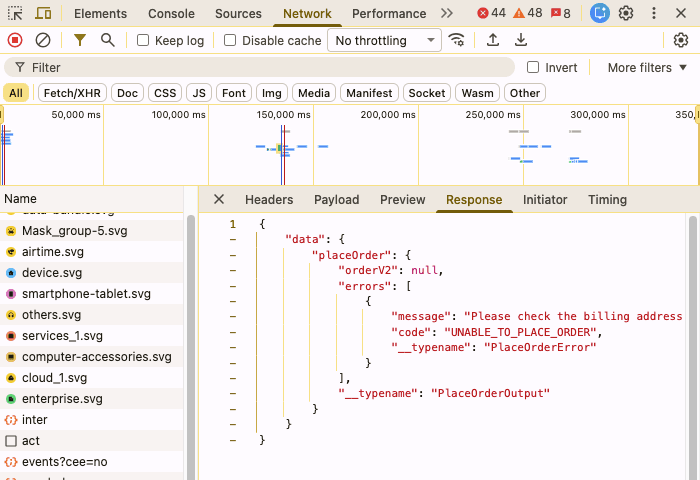
The full message: “Please check the billing address information. ‘firstname’ is required. Enter and try again. ‘lastname’ is required. Enter and try again. ‘street’ is required…” and so on through postcode and countryId. The backend wanted a billing address, and the checkout had never asked me for one. The airtime flow is a payment-method picker and a phone number. There is no address step anywhere in it.
The shape of the request gave away what was underneath. placeOrder(input: { cart_id }), a Cart query full of __typenames, fields like is_virtual andselected_payment_method: this is Adobe Commerce, formerly Magento, behind a custom storefront. That mattered, because Magento’s GraphQL schema is public and well documented. I did not have to guess what the server would accept.
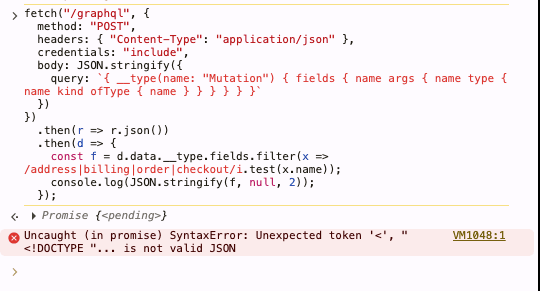
I did try introspection first, out of habit. It returned HTML, because I had sent the query to a relative /graphql and the storefront’s own server answered with its 404 page.
Why replaying the request does nothing
In Magento, placeOrder only takes a cart id. The address is not a parameter; it has to already be on the cart, put there by an earlier step. In a normal checkout that step is the address form, which calls setBillingAddressOnCart before you ever reach payment. The airtime flow skips the form, so it skips the mutation, so the cart reaches placeOrder with no billing address, and Magento refuses, as it should.
I had already saved an address in the account’s Manage Address page and marked it as the default billing address, before any of this. It made no difference. The address book and the cart are separate things in Magento, and nothing in this checkout copies one onto the other.
Setting the address myself
So I made the call the checkout should have made. From the console, on the shop’s own page, reusing the bearer token and the cart id the page itself sends, both copied from the Network tab:
fetch("https://backend-shop.mtn.ng/graphql", {
  method: "POST",
  credentials: "include",
  headers: {
    "content-type": "application/json",
    authorization: "Bearer <token from the Network tab>",
  },
  body: JSON.stringify({
    query: `mutation ($cartId: String!) {
      setBillingAddressOnCart(input: {
        cart_id: $cartId
        billing_address: {
          address: {
            firstname: "<first name>"
            lastname: "<last name>"
            street: ["<street>"]
            city: "<city>"
            region_id: 3361
            postcode: "<postcode>"
            country_code: "NG"
            telephone: "<phone>"
            save_in_address_book: false
          }
        }
      }) {
        cart { billing_address { firstname lastname street city postcode } }
      }
    }`,
    variables: { cartId: "<cart id from the Network tab>" },
  }),
})
  .then((r) => r.json())
  .then((d) => console.log(JSON.stringify(d, null, 2)));
It took five tries to get the region right, and every failure said something different. Leaving it out: “Region is required.” Sending it the way the customer address mutations take it, as an object:
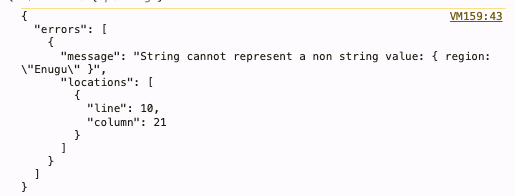
Cart addresses take a flat region: String and region_id: Int instead. Sending the name alone, region: "Enugu": “State/Province is required. Please edit your shipping address.” Sending the name and the id together: “The region_id does not match the selected country or region,” which looks like Magento comparing the name against the region’s code and rejecting the mismatch. Sending region_id on its own: success. The id came from a one-line query, country(id: "NG") { available_regions { id code name } }.
One more, for completeness. I tried setShippingAddressesOnCart too, and got “Shipping address is not allowed on cart: cart contains no items for shipment.” The plan is a virtual product, so the cart is is_virtual: true. Billing only, which is also why the checkout can skip a shipping step without anyone noticing.
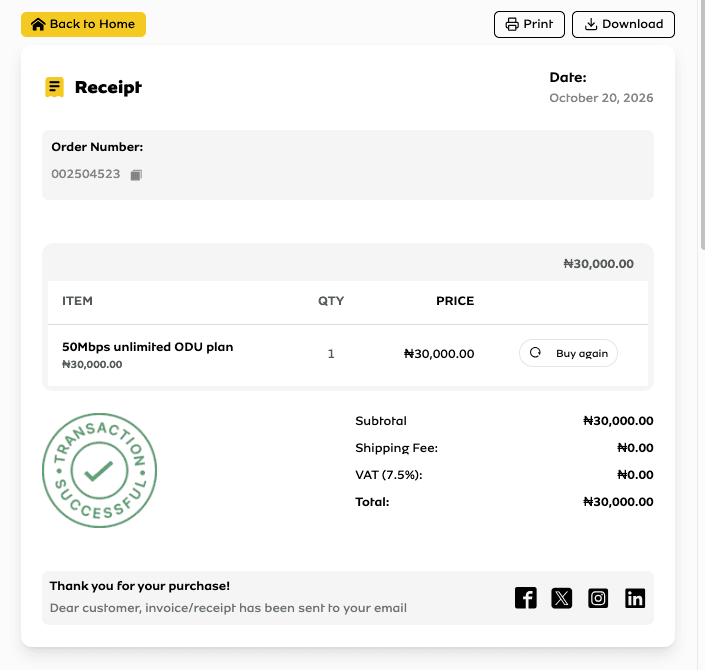
With the region id alone, the mutation came back with the cart’s billing address filled in, region code EN, country NG. I did not fire placeOrder from the console, because the airtime charge has its own OTP step that the page runs. I went back to the checkout tab, pressed Proceed to pay, approved the charge, and the airtime left my line.
What went wrong, and what I’d take from it
The bug is a frontend that drops a step its backend requires. My guess is that the airtime flow was built for airtime and data top-ups, where nobody needs an address, and was later pointed at products that still go through Magento’s normal order validation. Nobody put the address step back.
- If the server validates it, the UI has to collect it or default it. The checkout already knew my default billing address. Copying it onto the cart server-side would have made the problem disappear for every customer who had one.
- Do not surface a backend validation error for fields the user never saw. “Please check the billing address” on a page with no address is a dead end. The right message is either an address form or an honest “airtime payment is not available for this product.”
- Standard schemas are a gift to the person debugging. Because this is stock Magento GraphQL, every mutation I needed was documented. A custom API would have meant guessing.
Donald Amoke builds and ships mobile apps. See the work or read more notes.